
Four clients, four suburbs.
Leah’s day is a loop around town. Bookings arrive by text, and each one needs a time, an address and a price.
Today4 visits · 3 suburbs
 Sole trader workspace
For wellness and mobile services
You drive between appointments with a table in the boot. Figlix Pay keeps the day’s clients, route and payments in one place.
Leah’s day is a loop around town. Bookings arrive by text, and each one needs a time, an address and a price.
Payment at the door is awkward with oil on your hands, and promised transfers slip. A no-show costs her the slot and the fuel.
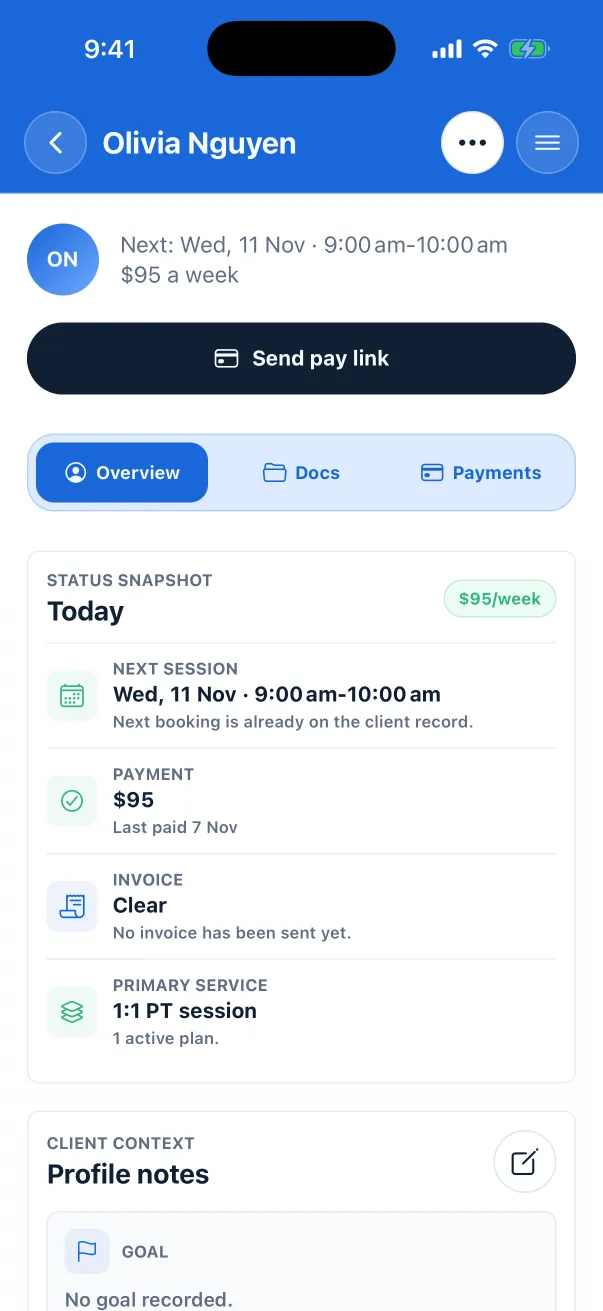
Leah sets her service area once. When a client books, she sends a payment link by text, and the visit appears on her calendar with the address.
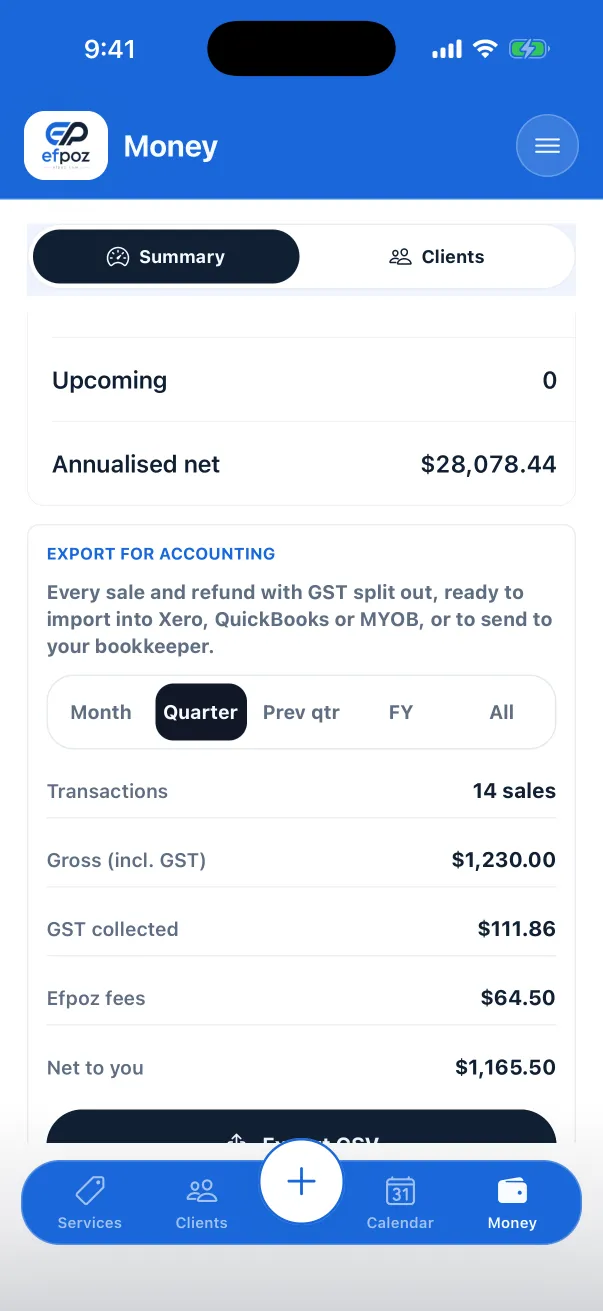
Clients who have paid turn up. The Money tab shows what the week has earned and what is hers after fees and GST.
Leah is an illustrative example, not a customer. Every step shown is something the Figlix Pay app does today.
What changes
How to
Step-by-step guides from the Help centre.
Questions
Yes. Send a payment link when you book. Your client pays by card and you see it as paid on their record.
Tap to Pay on iPhone is coming soon. Until then, send a payment link or a QR code your client can scan.
Yes, in full or in part, from the client’s Payments tab. The money goes back to their card.
Early access opens in small groups. We’ll set up your first service with you.